Free org chart maker
Build a clean, board-ready organizational chart in your browser. No login, no upload, no credit card — and your data never leaves your device.
No signup. No login. No upload.
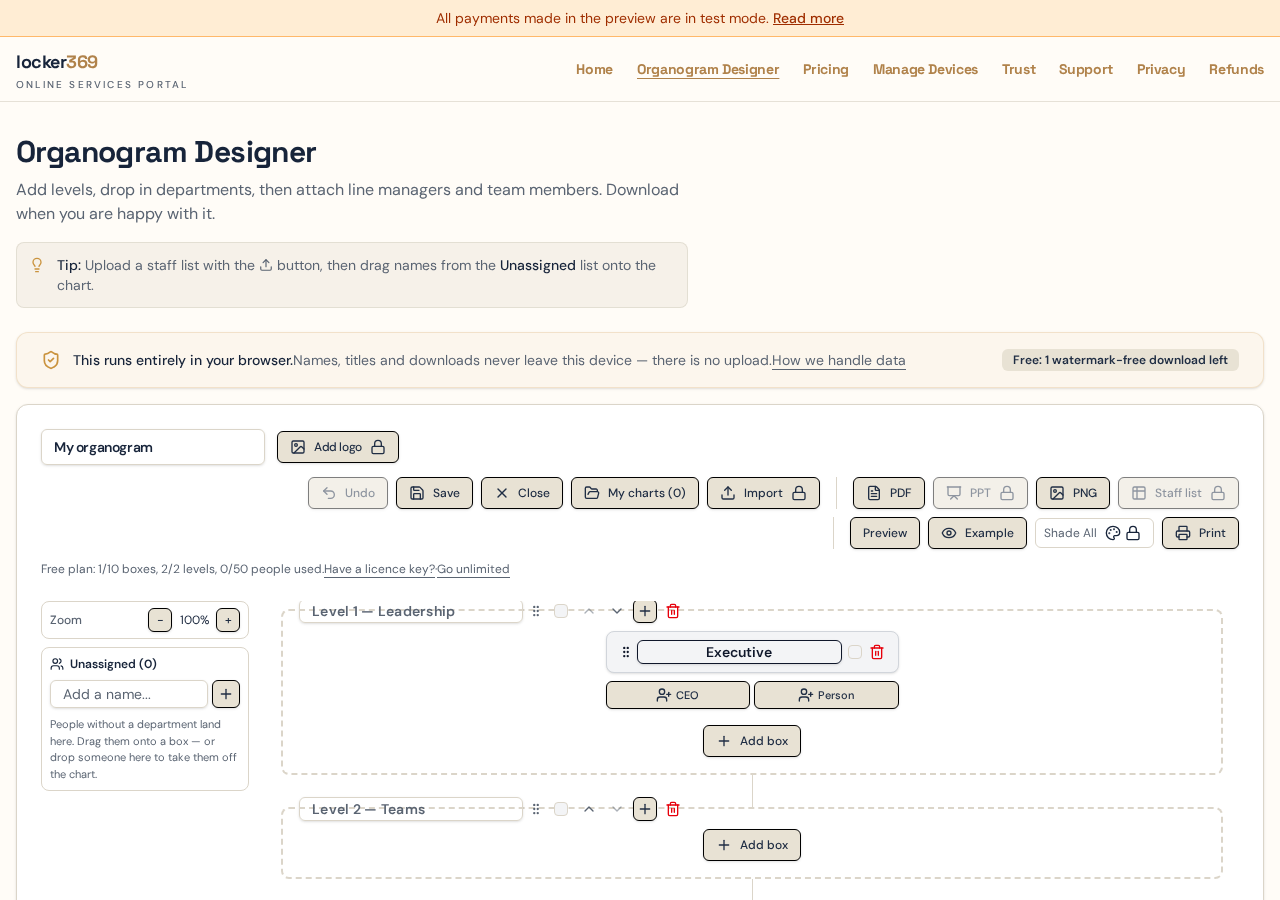
Start from scratch or import a staff list in seconds.
Why use dial369 as your org chart maker?
Drag-and-drop structure
Add departments, line managers and team members. Reorder levels and move people between teams in seconds.
Export to PDF, PNG or PowerPoint
Download a crisp vector PDF or PNG for free. Editable PowerPoint exports are available on Pro plans.
Nothing to install
Runs entirely in your browser. Open the page and start building — no download or setup required.
Private by design
Names, titles and chart data are processed on your device. They are never uploaded to our servers.
How to make an org chart free, step by step
Most people finish a first draft in about fifteen minutes. The order below is the quickest route from a blank page to a chart you can hand to a manager or drop into a board pack.
- 1
Open the designer
There is no signup screen and no email wall. The designer loads as a blank canvas with one level ready to fill, and everything you type is held in your own browser's storage.
- 2
Create your levels
A level is a horizontal band of the chart — typically Level 1 for the executive team and Level 2 for departments. The free plan gives you two levels, which is enough for most small businesses and for a single division of a larger company.
- 3
Add department boxes
Each box holds one head of department, one line manager and as many team members as you need. Give the box a name such as Finance or Operations, and shade its header to match your brand if you want the chart to look like the rest of your documents.
- 4
Add people
Use + Exec, + Manager and + Person to add cards. Executive cards let you pick CEO, COO, CIO, DIR or HOD, or you can type any title you use internally. Click any card later to rename the person or change the title.
- 5
Use the Unassigned list while you decide
Paste a batch of names into the Unassigned panel on the left and drag each card into the right department when you know where it belongs. Nothing is lost while you work through a restructure.
- 6
Check the preview, then download
Preview shows exactly how the chart will sit on the page in landscape or portrait, so nothing is cut off. Download a PDF or PNG when it looks right — your first download is watermark-free on the free plan.
What the free plan includes
The free plan is a working tool, not a trial that stops halfway. It covers a small business or a single department end to end, including one clean download with no watermark.
| Feature | Free | Pro |
|---|---|---|
| Levels | 2 | Unlimited |
| Department boxes | 10 | Unlimited |
| People on the chart | 50 | Unlimited |
| PDF and PNG download | 1 watermark-free, then watermarked | Unlimited, watermark-free |
| Editable PowerPoint download | No | Monthly and 12-Month plans |
| Excel / CSV staff import and export | No | Yes |
| Shared services and sub-departments | No | Yes |
| Company logo and brand colours | No | Yes |
| Account required | None | None — licence key only |
Why a browser-only org chart maker matters
An org chart is one of the most sensitive documents a company produces. It lists full names, job titles, reporting lines and — during a restructure — roles that are about to change. Most online chart tools ask you to create an account and upload that list to their servers before you can draw a single box.
This tool works the other way round. The page loads, and from then on the building, the layout and the export all happen inside your browser. There is no account to create, no staff list sitting in someone else's database, and nothing for us to lose if we are ever breached — because we never held your people data in the first place.
The practical effects are simple. You can plan a reorganisation in a private window without leaving a trace on a shared machine. You can use the tool on a company laptop without raising a data-transfer question. And if you close the tab before saving, the chart is gone from your device rather than lingering on a server.
The trade-off worth knowing: because charts live in your browser, clearing your browsing data removes saved charts too. Download a PDF or PNG of anything you want to keep. Read the full privacy approach.
Frequently asked questions
Is this org chart maker really free?
Yes. You can build a chart with up to 2 levels, 10 boxes and 50 people at no cost and with no login. The free plan includes one watermark-free PDF or PNG download plus unlimited watermarked downloads.
Do I need to create an account or give an email address?
No. There is no signup, no password and no email wall. Open the designer and start building. Paid plans are unlocked with a licence key rather than an account.
Where is my org chart stored?
In your own browser, on your own device. Names, job titles and the chart itself are never uploaded to our servers, which is why the tool also works in a private browsing window.
What file formats can I export to?
PDF and PNG are available on every plan, including the free plan. A native, fully editable PowerPoint file is available on the Monthly and 12-Month plans.
How big a chart can I build on the free plan?
Up to 2 levels, 10 boxes and 50 people. Paid plans remove those limits, so you can map an entire organisation in one chart.
Can I use it offline or on a locked-down work laptop?
There is nothing to install and no plugin to approve, so it runs on a standard work browser. The page itself has to load once, after which the building and exporting happen on your device.
Keep reading
- Org chart template — ready-made structures for a small business, a startup and a departmental company.
- Organizational chart template — the four common structure types and when each one fits.
- Questions and answers — licences, devices, imports and exports.
Try the free org chart maker now
No signup required. Your chart stays in your browser until you decide to download it.